Organize saved posts from Instagram, TikTok, YouTube and the web
Bring social posts, videos, articles and web links into one searchable library. Filter by platform, category, tag and date instead of scrolling through separate saved folders.
Read the practical guides to search and filter saved posts or organize them into Keeps.



Save content from any platform
Use your device's share button to send posts, articles, links, and ideas directly into KeepShare.
Instagram. TikTok. YouTube. Articles. Links.
Structured categorization
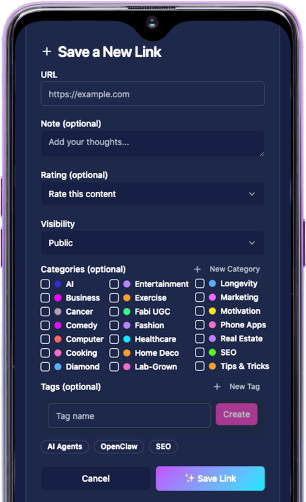
Assign categories. Add tags. Leave notes. Rate content.
Your saves are not just stored. They are structured.
Structure is what makes content retrievable.

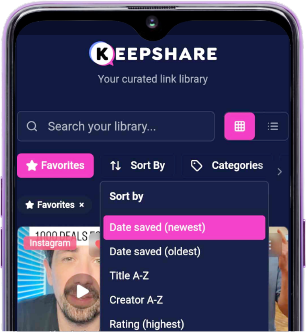
Deep filter. Cross-platform search.
Search across everything. Filter by platform, topic, tag, rating, or date.
No platform walls. No folder guessing.
Turn saves into structured topics
Assign categories. Add tags. Leave notes. Rate content.
Your saves are not just stored. They are structured.
Structure is what makes content retrievable.
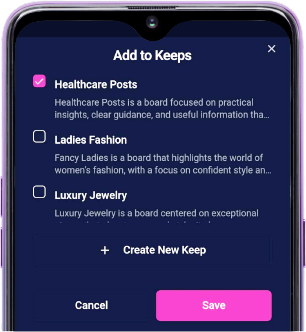


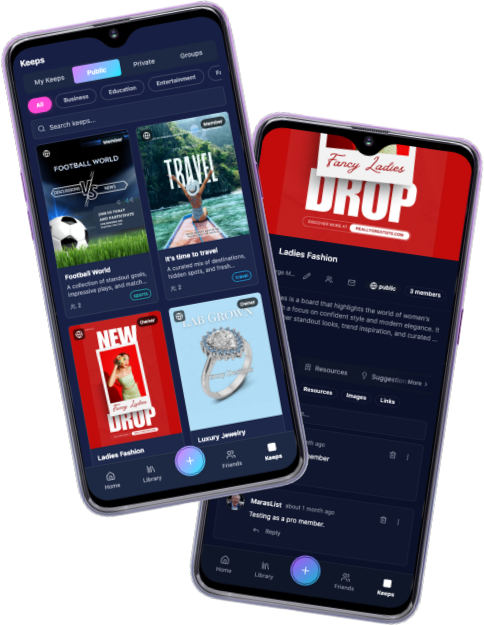
Keeps are collaborative by design
Share individual posts or entire Keeps. Invite others.
Collect feedback. Build together.
- • Public Keeps
- • Private group Keeps
- • Personal Keeps
Not another folder system.
Unlike chat apps or bookmarks, KeepShare is built around structured saved content.

Everything stays connected.
Questions about organizing saved posts
Quick answers about saving, organizing and finding content with KeepShare.